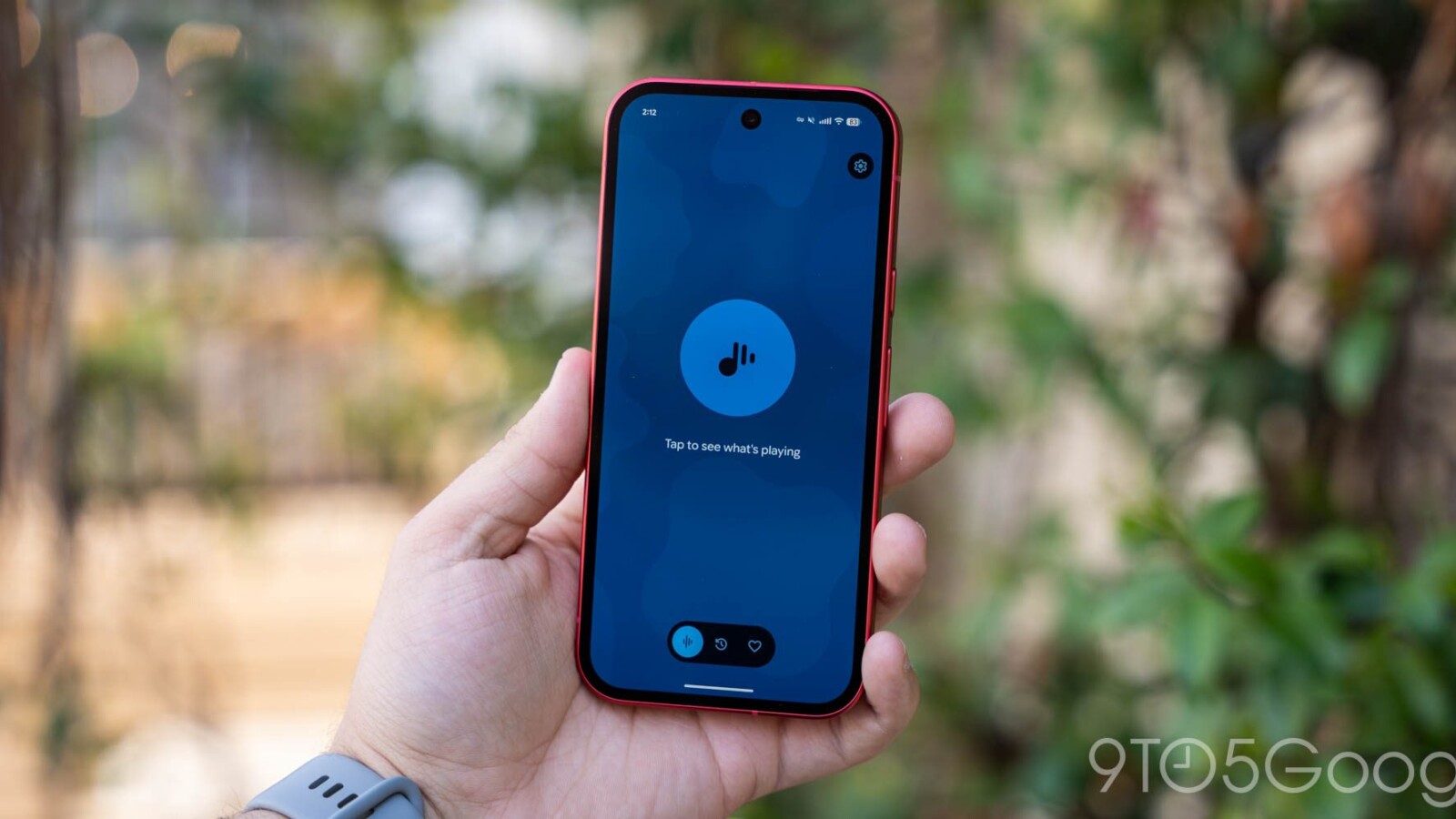
Google is kicking off its next round of Pixel app updates with a fresh version of Now Playing that introduces several interface refinements aimed at improving everyday usability.
What’s New in Now Playing
The most noticeable change involves the three-dot menu attached to any identified song. Tapping it now brings up a bottom sheet that slides into view from the lower portion of the screen, replacing the previous floating menu. The new layout is designed to make one-handed navigation easier.
Within that bottom sheet, users will find track details paired with side-by-side buttons for Share, Add to favorites, and Remove from history. Below those controls sits a button to play the song, along with any shortcuts tied to your connected music service.
Favorites and Settings Adjustments
The Favorites tab has also been updated to display dates and times, mirroring the format already used in the History feed. On top of that, Google has made smaller visual changes to the icons and spacing found throughout the Now Playing settings menu.
These tweaks build on a broader effort that began earlier in the year. The redesigned Now Playing experience first rolled out in March, and in April Google brought back the “Tap to see what’s playing” shortcut on the lockscreen, giving users a quick way to identify audio around them.
Rollout and Recent Pixel Updates
Version 2026.08.27.x of Pixel Now Playing is currently rolling out widely through the Google Play Store, so many users should see the update arrive automatically over the coming days.
The release continues a steady stream of updates across Google’s Pixel app lineup. Last month, Pixel Journal gained additional tools, while the Screenshots app picked up extra filter options. Google also refreshed the icons for several first-party apps, including Google Calculator, Clock, Pixel Magnifier, Recorder, and Weather.
Source
Image: 9to5google.com