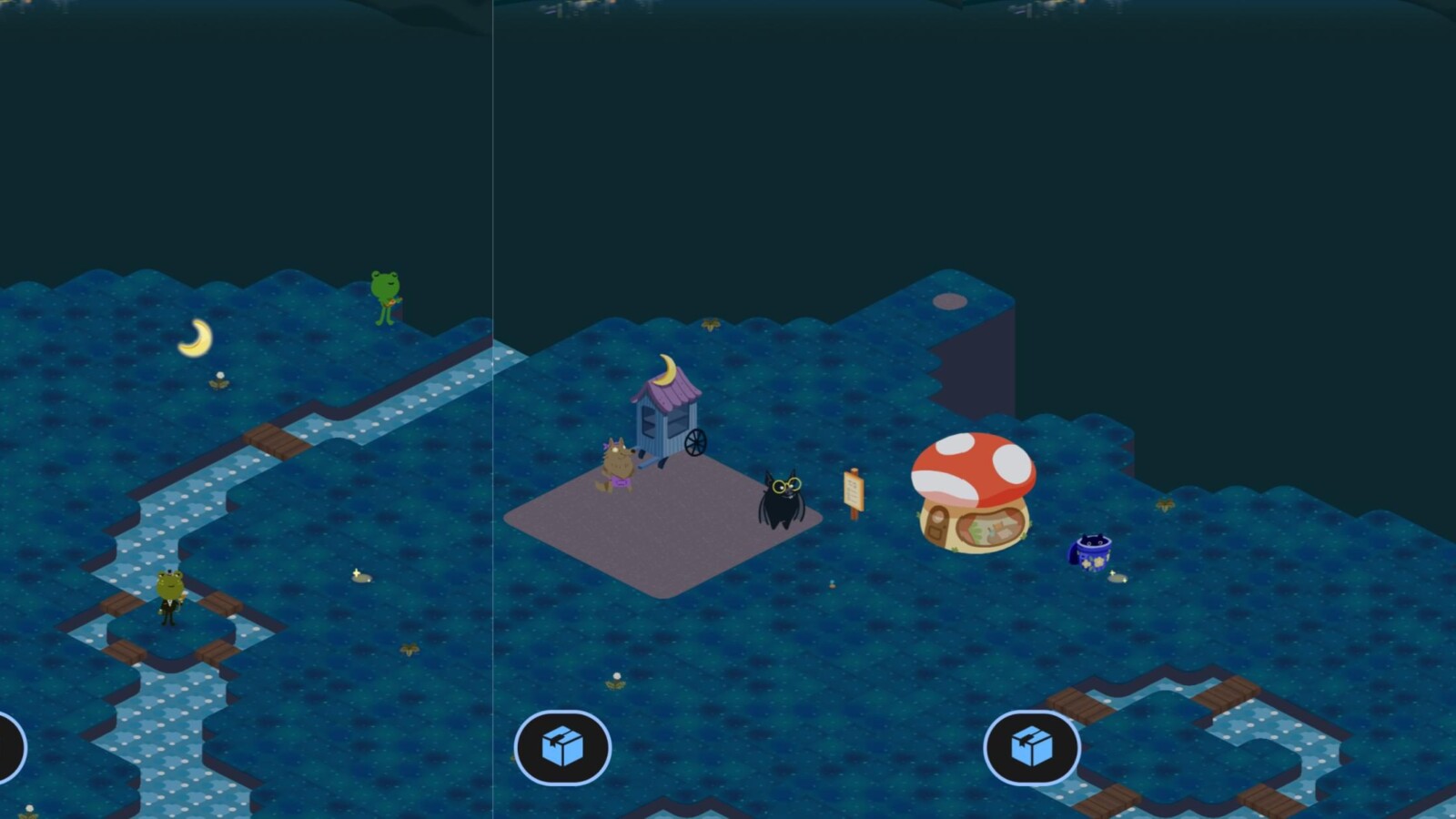
Froggy’s World is a new cozy mobile game from Google that draws clear inspiration from titles like Animal Crossing and Stardew Valley. Released quietly, the game puts a playful spin on one of the company’s most recognizable mascots and is available exclusively on mobile devices.
To find it, search for “weather” on Google Search and tap the new play icon located in the top-right corner of the Knowledge Panel card. A direct link is also available at share.google/refnf9gUiPMARpgJO. The experience will not appear on desktop, so it is strictly a phone-based affair.
How Froggy’s World Plays
In the game, you help Google’s iconic Weather Frog decorate a new home, represented by the same mushroom design seen on the Nest Hub and other Google Smart Displays. The core loop involves pulling weeds and collecting tokens by tapping the screen.
Google explains that there are different token types tied to current conditions: day, night, rain, and snow. These tokens can be exchanged for seeds and decorative items such as lamp posts and statues, which you plant to bring your surroundings to life. Building out the space is a gradual process that takes place over several days rather than a single session.
Characters and Settings
Several characters populate the world and can be tapped to reveal dialogue. Among them is Stash, a recycling raccoon that stands out as a fan-friendly addition. The top-left corner of the screen displays your current temperature and wind conditions alongside a token counter.
A settings gear gives you control over the experience. You can switch between Google Accounts, with progress saved between sessions, and adjust the background music and sound effects. An option labeled “delete my data” at the bottom lets you reset your progress entirely.
Behind the scenes, Froggy’s World is hosted on dailygames.discover.google.com, a domain first noticed back in 2024. The game reflects a return to the whimsical, lighthearted design that has long been associated with Google’s playful projects, and it is available to try now on mobile.
Source
Image: 9to5google.com