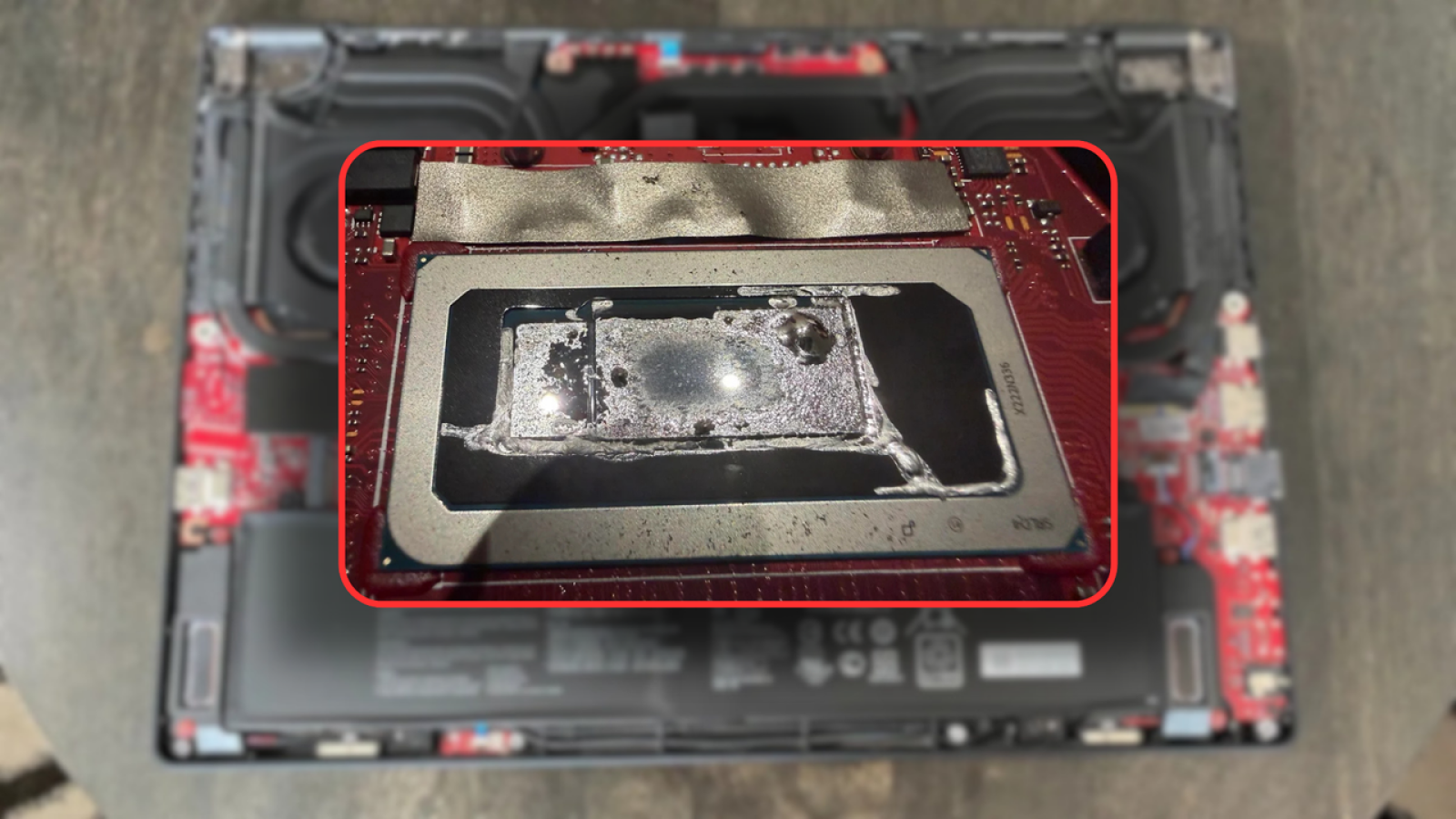
A liquid metal failure almost destroyed an Asus Zephyrus M16 gaming laptop, corroding the processor’s heatsink and coming dangerously close to reaching the silicon itself. The case, documented by Reddit user u/nicknickmeetnick, highlights the risks of using liquid metal as a thermal interface material (TIM) in laptops, a practice Asus has followed for several years.
The affected machine was a 2022 Zephyrus M16 equipped with an Intel Core i9-12900H processor, purchased just over three years ago. During most of that time, the owner used the laptop for lightweight tasks rather than demanding gaming sessions. Despite the modest workload, the system began to overheat, thermal throttle, and eventually suffer hard crashes. Gaming performance had already degraded noticeably before each shutdown.
Factory Application Ate Through the Heatsink
Suspecting an aging thermal solution, the owner ordered PTM7950 phase change material to repaste the hardware and had GD900 thermal paste on hand as a backup. Upon opening the laptop, however, he found a far more serious problem. The liquid metal originally applied to the CPU had been poorly installed and had burned onto the heatsink during periods of overheating. It had also spilled beyond its designated cavity.
Beneath that layer sits only a thin lid protecting the silicon, and Asus applies liquid metal on top of it as well. The corrosion had worn through the heatsink and nearly reached the lid underneath. Had the situation continued, the liquid metal could have seeped directly onto the die.
The danger is significant because liquid metal is electrically conductive. If it contacts surrounding components, it can form microbridges that short circuit anything in its path. According to the report, Asus appears to mix abrasive chemicals into its liquid metal to improve adhesion to the die. Over time, those chemicals corrode the surrounding metal, which is what wore down the heatsink and threatened the lid.
Thermal Paste Swap Restores Performance
Removing the rogue TIM required careful work. The owner used dried cotton to manipulate the existing liquid metal, effectively sanding away the corrosion before extraction. He then applied plenty of isopropyl alcohol with cotton swabs to gather the liquid metal into a blob that could be lifted away using painter’s tape.
With the CPU cleaned as thoroughly as possible, he reapplied GD900 thermal paste and reassembled the laptop. The results were immediate. Temperatures dropped dramatically, the system ran far cooler, the random reboots stopped, and framerates in games recovered substantially.
Notably, these improvements came from the GD900 paste alone, as the PTM7950 phase change material had not yet arrived. The user expects performance and thermals to improve further once the higher-end material is installed.
Source
Image: tomshardware.com