Adobe is expanding Photoshop‘s artificial intelligence toolkit with a new mode called AI Assisted Editor, which lets users edit images using plain natural language prompts. The feature does not replace the traditional Pro Editor. Instead, it serves as an additional interface option when you launch the app.
The company announced the addition on Thursday alongside several other new features, including a light adjustment layer for expanded lighting controls, Instruct Edit with Masks for prompt-based editing, and a Markup tool that lets users draw directly on an image to communicate changes.
AI Assisted Editor is currently available for testing in the beta version of Photoshop, which costs EUR 20 per month.
How AI Assisted Editor Works
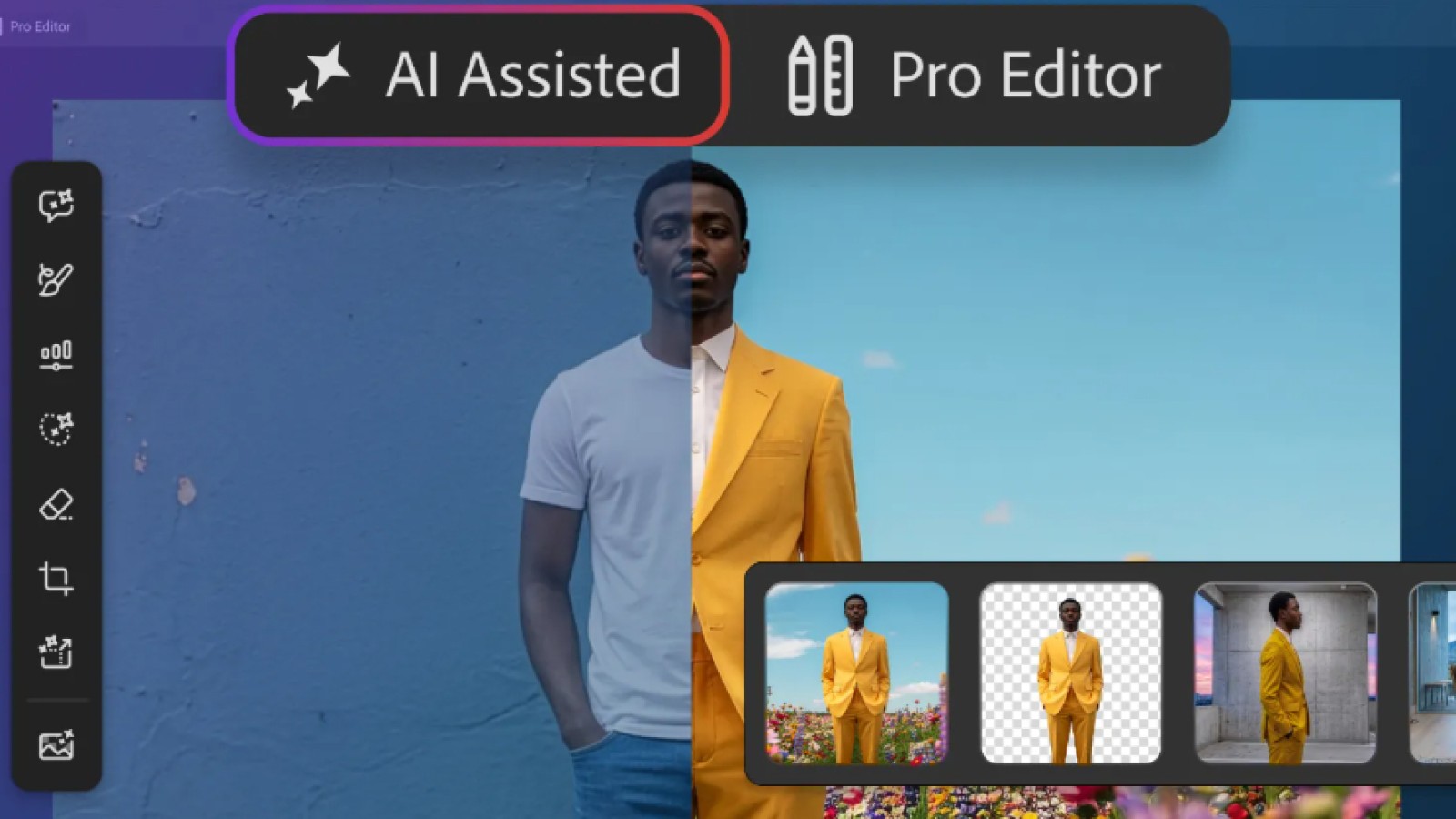
When opening Photoshop, users now see two interface choices: AI Assisted and Pro Editor. The Pro Editor is Photoshop’s familiar workspace, offering manual control over layers, adjustments, and editing tools. Experienced users are likely to stay with it, while newer users may prefer AI Assisted for simpler tasks.
In the AI Assisted mode, a natural language prompt bar handles requested edits. A vertical toolbar provides seven functions: prompt to edit, remove background, generative expand to extend image dimensions, generative remove to eliminate unwanted objects, generative fill to add or replace content, generative upscale to increase resolution, and AI markup for annotating images.
The Prompt to Edit function stands out as the most significant change. Users can transform an image entirely with a natural language request. For example, an image of a person sitting on a beach could be reworked with a prompt such as “Put this person on a hiking trail in the mountains.”
Additional New Photoshop Features
Adobe described the other three additions as tools for more precise, sharper editing. The light adjustment layer lets users cycle through controls for exposure, contrast, highlights, shadows, whites, and blacks.
The Instruct Edit with Masks function allows users to describe the changes they want within masked areas rather than manually marking every region. Requests can be as simple as having a person smile, putting a bird in flight, or opening a blue door.
The Markup tool lets users draw on an image to indicate their intended edits. You might circle a building and instruct the AI to color it brown, or draw an arrow pointing to where an object should go. Adobe says the tool reduces the ambiguity that can arise from text prompts alone.
These releases follow a steady stream of AI additions to Adobe’s software over the past year. AI Assistant arrived in March to enable editing through conversational commands, and in June the company brought AI assistants to Photoshop, Premiere Pro, InDesign, Illustrator, and Frame.io. Earlier this month, OpenAI and Adobe partnered to integrate dozens of photo- and video-editing capabilities into ChatGPT.