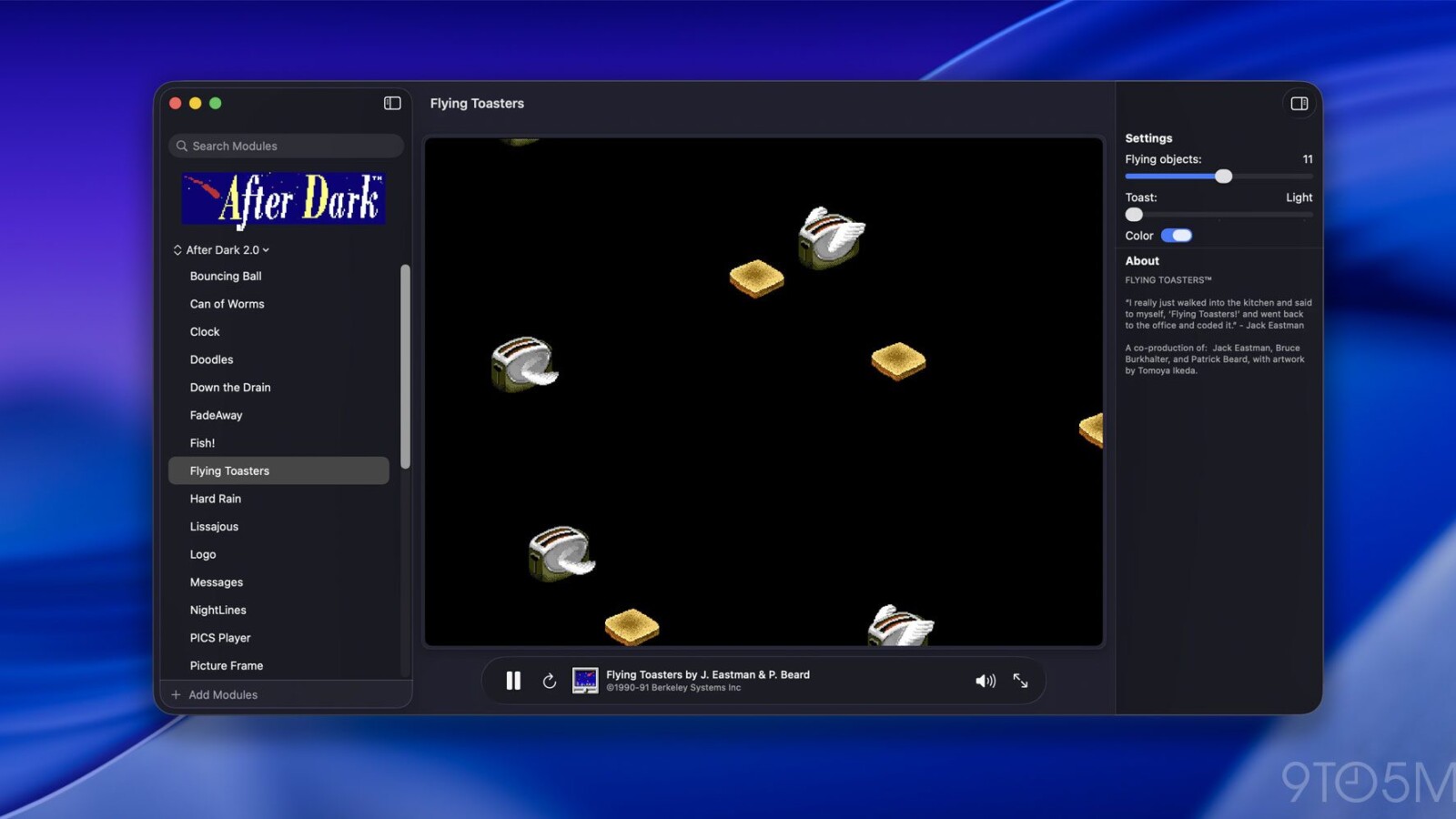
Afterglow is a new project that lets Mac users run the original After Dark screen saver modules on modern hardware, no vintage machines or finicky emulators required. Created by developer Jeff Halter, the tool revives a collection of screen savers that became a fixture on Macintosh computers throughout the 1990s, including the famous Flying Toasters.
For years, enjoying these classic animations meant relying on aging hardware or a classic Mac OS emulator, both of which could be unreliable. Afterglow simplifies the process by running the original modules through an emulator built specifically for them.
How Afterglow Works
Unlike remakes or ports, Afterglow runs the original 68k module code directly. The emulator has no dependencies on ROMs or a full classic Mac OS environment, which sets it apart from earlier preservation efforts. Halter notes that no single traditional emulator or vintage computer could faithfully run every module, since some animations played too fast and others too slow.
The app also includes a modern macOS screen saver module, allowing users to set any imported After Dark module as their Mac’s active screen saver. Halter previously built Lunacy, a native Swift app that lets users play the classic Lunatic Fringe game from More After Dark on current Macs.
Features and Setup
Afterglow ships with a range of tools, including module controls, full-screen mode, a randomizer, multimodule support, 3D box art, a CRT shader, a resource inspector, and a DrawMorph editor. These options give users flexibility in how they view and manage the preserved content.
One important detail: the After Dark modules themselves are not included with Afterglow. The project’s website provides instructions for finding and importing them into the app.
Halter framed the project as an act of software preservation. He described the original Berkeley Systems screen savers, which brought Flying Toasters, Fish, and Starry Skylines to Macintosh screens everywhere, as works of art worth preserving. Beyond entertainment, the animations originally served a practical purpose by preventing burn-in on CRT monitors. Afterglow aims to keep that catalog accessible today and for years to come.
Source
Image: 9to5mac.com